

🎨 Paint Outside the Lines!
When we first designed the painting system over two years ago, we created a preset collection of 81 colors for players to use. Although that gave everyone a solid selection, 81 colors are nothing compared to the 16,777,216 possible hex color combinations.
So, we decided it was finally time to hand over the paintbrush.
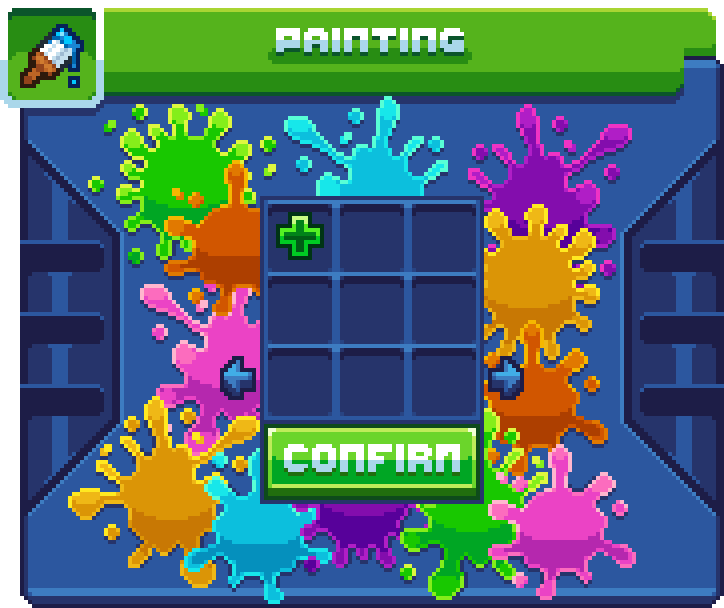
🌈 Create Your Own Colors
A brand-new page has been added to every painting menu, giving you 9 slots to create and save your own custom colors. No more trying to find the closest available shade. Whether you need the perfect pastel pink, a deep ocean blue, or an extremely specific shade that only you can tell apart from the other eight versions you tried, you can now create it yourself!
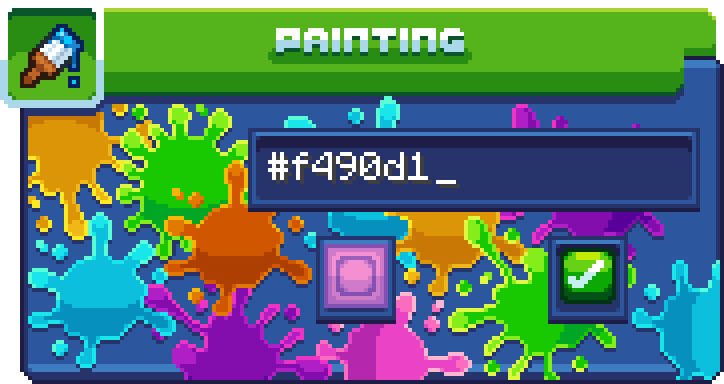
Click the plus button on the new Custom Colors page to open the color creator. From there, enter your desired hex code into the text box and preview the exact color below. Once you are happy with it, click the Green Checkmark to save it to your custom color!
Your custom color page is shared across the entire painting system. If you save a color while using a Paint Brush, that same color will be waiting for you the next time you customize a cosmetic.

🧪 Introducing the Paint Elixir!
We have added tons of custom utilities, tools, and weapons to Survival Island. Unfortunately, many of them have been stuck wearing the same color since the day they were created. Now, the Paint Elixir allows you to recolor applicable custom items using the full painting menu. Simply drag and drop the elixir onto an item, choose your new color, and give it a completely fresh look!
Just like the Paint Bucket, the Paint Elixir is a consumable painting tool and will disappear once used. So choose your item and color wisely!